BlogShopifyShopify Store Setup Guide for Perth Small Businesses

Shopify Store Setup Guide for Perth Small Businesses

Shopify Store Setup Guide for Perth Small Businesses

If you’re planning a Shopify store setup Perth small business owners actually need not just a generic checklist this guide covers what setup really involves, what it costs, and the mistakes that slow launches down or hurt sales later.

Why Shopify (and When It's Not the Right Fit)

Shopify is built specifically for selling online inventory, payments, shipping, and checkout are handled natively, without needing extra plugins the way WordPress does. It suits Perth businesses with a growing product range, physical inventory that needs stock tracking and variants like size or colour, or plans to sell across multiple channels such as in-store POS, an Instagram or Facebook shop, or online marketplaces.

If you’re selling a handful of products with simple needs, Wix eCommerce can be a lighter, cheaper alternative worth weighing up before committing to Shopify’s monthly cost.

What Shopify Store Setup Actually Includes

A proper Shopify store setup Perth small business owners can rely on covers more than just picking a theme. It starts with store structure collections, navigation, and product categorisation followed by product listings with titles, descriptions, images, and variants written and optimised for search, not copy-pasted from a supplier. Payment gateways need to be configured (Shopify Payments, PayPal, and Afterpay or Zip if relevant to your customers), alongside shipping rates, zones, and courier integration, and GST configured correctly for Australian sales. Apps should be added sparingly; reviews, upsells, and email capture are common, but every extra app slows the store down, so it’s worth adding only what earns its place.

Step-by-Step Setup Process

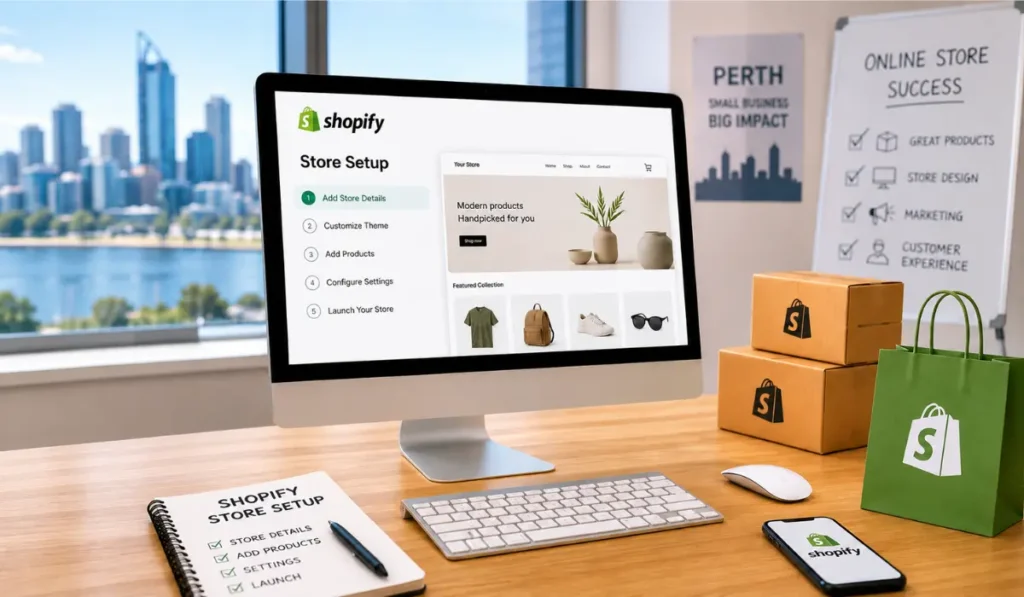
The process generally starts with mapping out collections and navigation before a single product is added, so the store has a clear structure from day one. From there, a theme is chosen and customised to match brand colours, fonts, and layout needs, before products are added with SEO written titles and descriptions. Payments, shipping, and tax are configured and tested with a real transaction, analytics (Google Analytics and the Meta Pixel) are connected before launch rather than after, and everything is checked on mobile, since most Shopify traffic in Perth and everywhere else is mobile-first. A soft launch, where checkout is tested end-to-end with a real card before the store is announced publicly, catches the errors that are far more costly to fix after launch.

Plan Your Store Structure

Start by planning your collections and navigation. A clear structure makes it easier for customers to find products.

Choose and Customise a Theme

Choose a theme that suits your brand and products. Customise the colours, fonts, images, and layout to match your business.

Add and Optimise Products

Add products with clear titles, descriptions, images, prices, and variants. Optimise your product content for search engines and customers.

Configure Payments and Shipping

Set up your preferred payment methods. Then configure shipping rates, delivery zones, and tax settings.

Connect Analytics

Connect Google Analytics and the Meta Pixel before launch. This allows you to track visitors and conversions from the beginning.

Test the Store

Test the store on desktop and mobile devices. Check product pages, navigation, forms, shipping, and checkout.
Common Setup Mistakes to Avoid

The most common issue is skipping SEO on product pages default Shopify product URLs and titles rarely rank well as they are. Adding too many apps is a close second; each one adds load time, so it’s worth auditing regularly and removing anything unused. Launching without testing checkout end-to-end is another frequent mistake, since payment or shipping errors at checkout are one of the fastest ways to lose a sale. Weak product photography is also worth addressing early, since Shopify stores live or die on image quality, especially on mobile, and it’s easy to overlook abandoned cart recovery, a simple, often-skipped way to recover sales that would otherwise be lost.

Shopify vs. Wix for Ecommerce

For a Shopify vs Wix ecommerce Perth comparison: Shopify wins on scalability, app ecosystem, and multi-channel selling. Wix eCommerce wins on simplicity and lower cost for stores under roughly 20 products. Neither is universally “better” ; it depends on your product range and growth plans.

How OZee Web & Digital Can Help

We build and configure Shopify stores for Perth businesses end-to-end structure, product SEO, payments, and launch testing included. If you’re comparing options or want to hire Shopify expert Perth businesses trust, get in touch for a free quote.

FAQs

How long does a Shopify store take to set up?

A professionally built store with 20–50 products typically takes 3–5 weeks from content handover to launch.

Simple stores can be DIY, but SEO setup, custom theme work, and app configuration are commonly outsourced to avoid costly mistakes at launch.

Yes, though product data and SEO rankings need a proper migration plan to avoid losing search visibility.


Leave a Reply

Your email address will not be published. Required fields are marked *